Take care
Deactivate
Account from Shieldloom
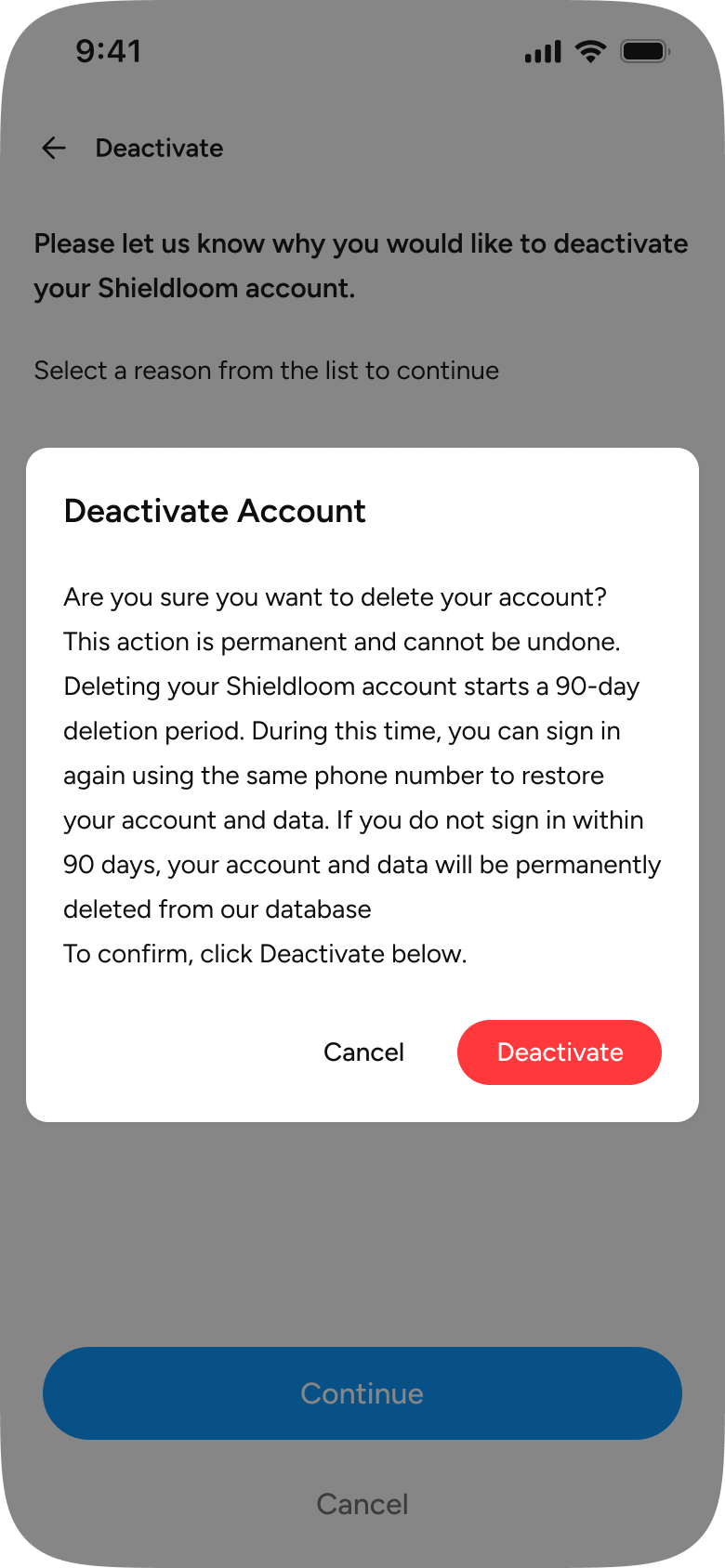
Deleting your Shieldloom account starts a 90-day deletion period. During this time, you can sign in again using the same phone number to restore your account and data. If you do not sign in within 90 days, your account and data will be permanently deleted from our database
Delete your Shieldloom account
Account deletion is done from the Shieldloom app. Follow the steps below.
1
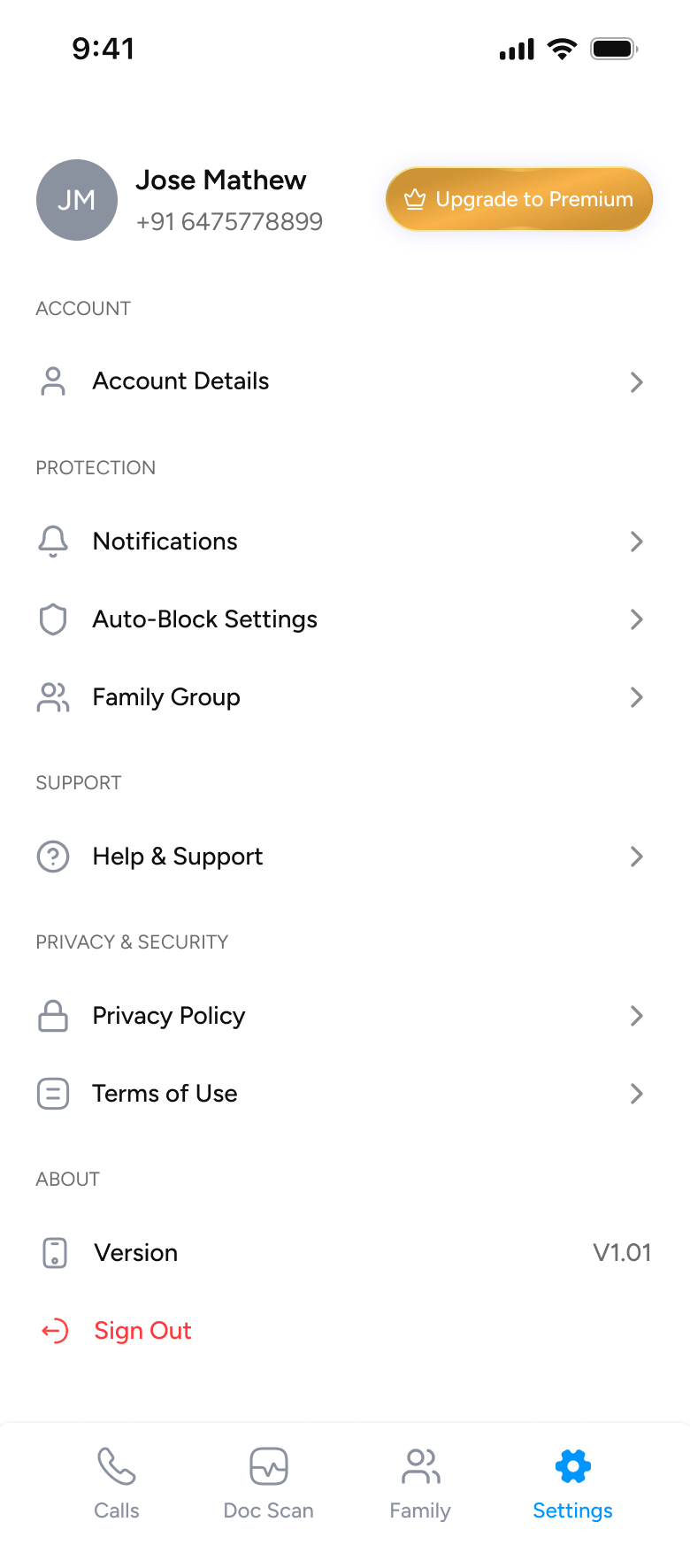
Open the Shieldloom app, go to Settings and tap Account Details
2
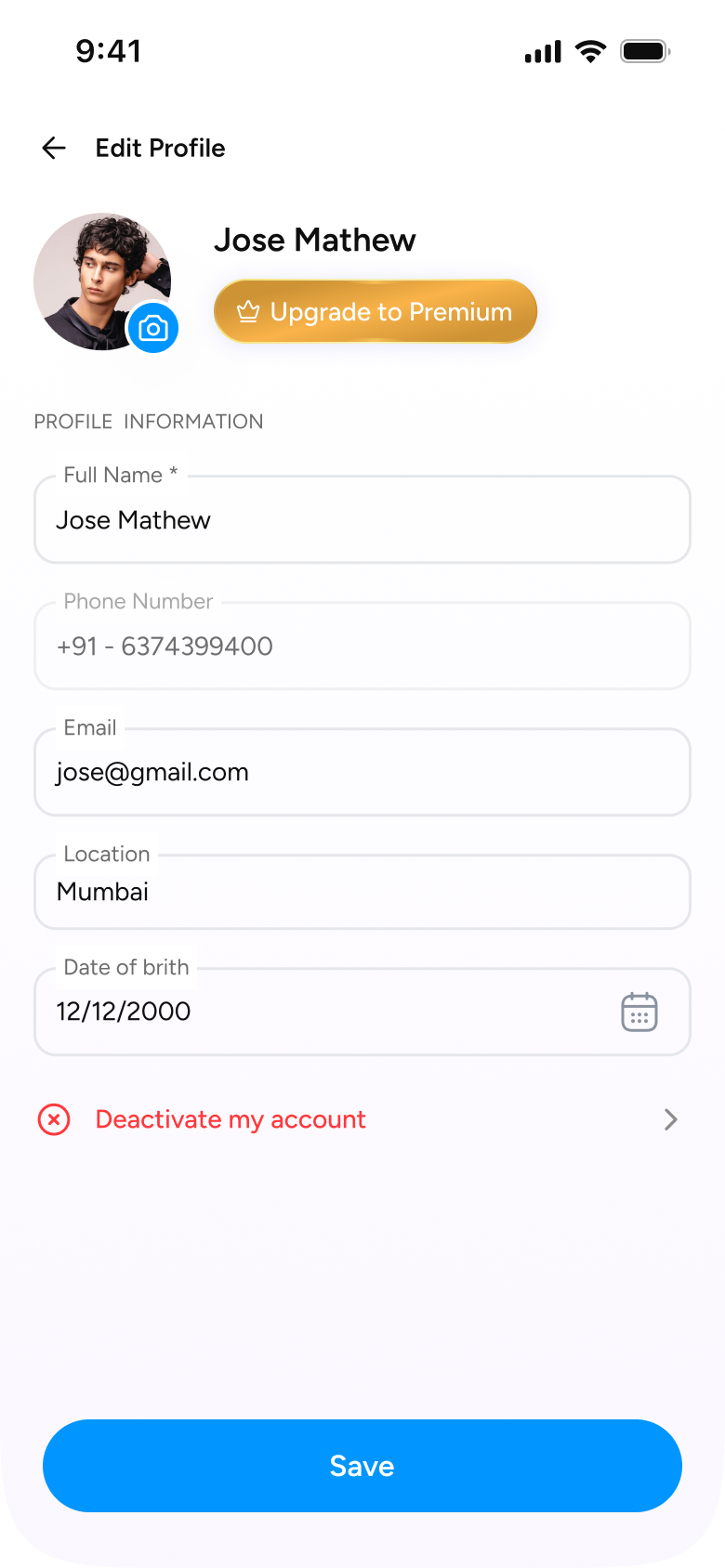
On Account Details, scroll down and tap “Deactivate my account”
3
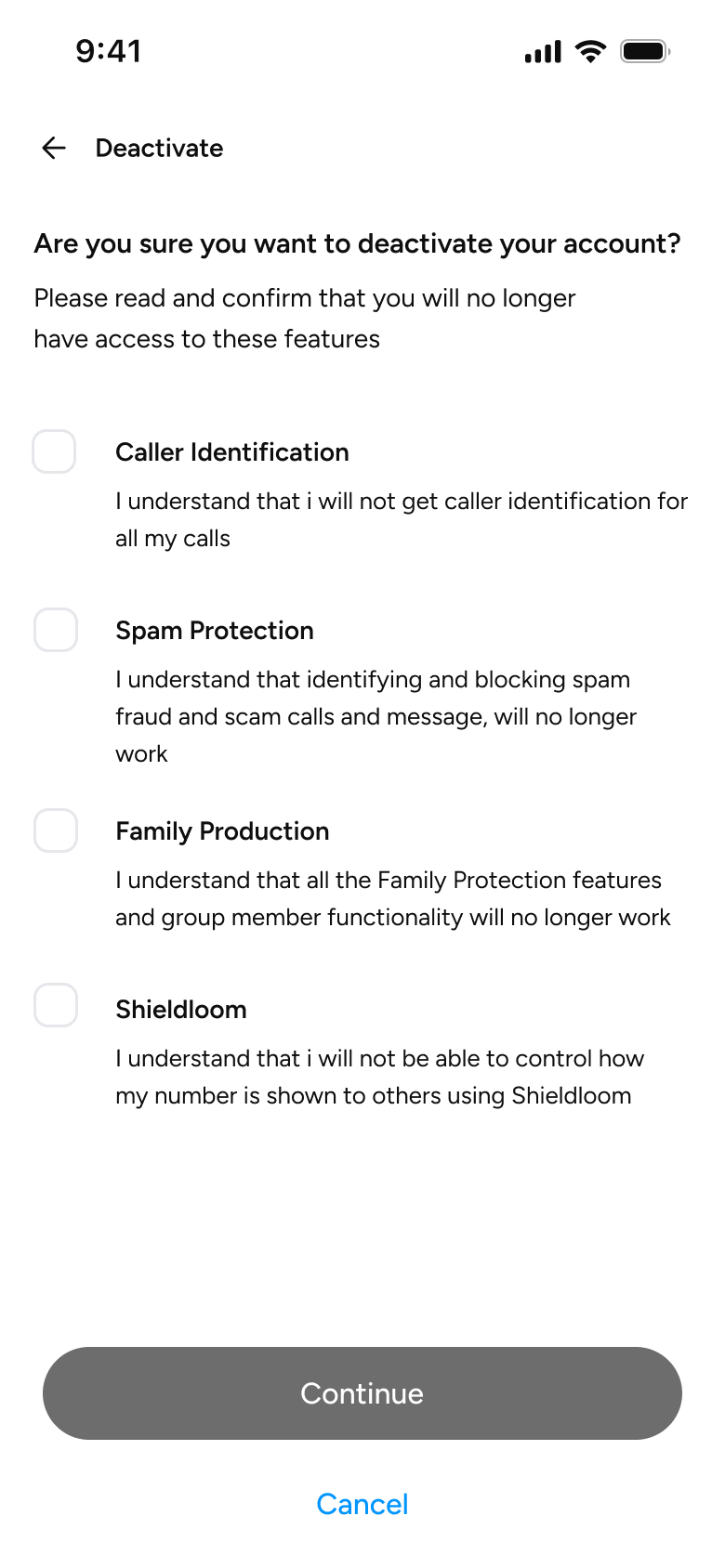
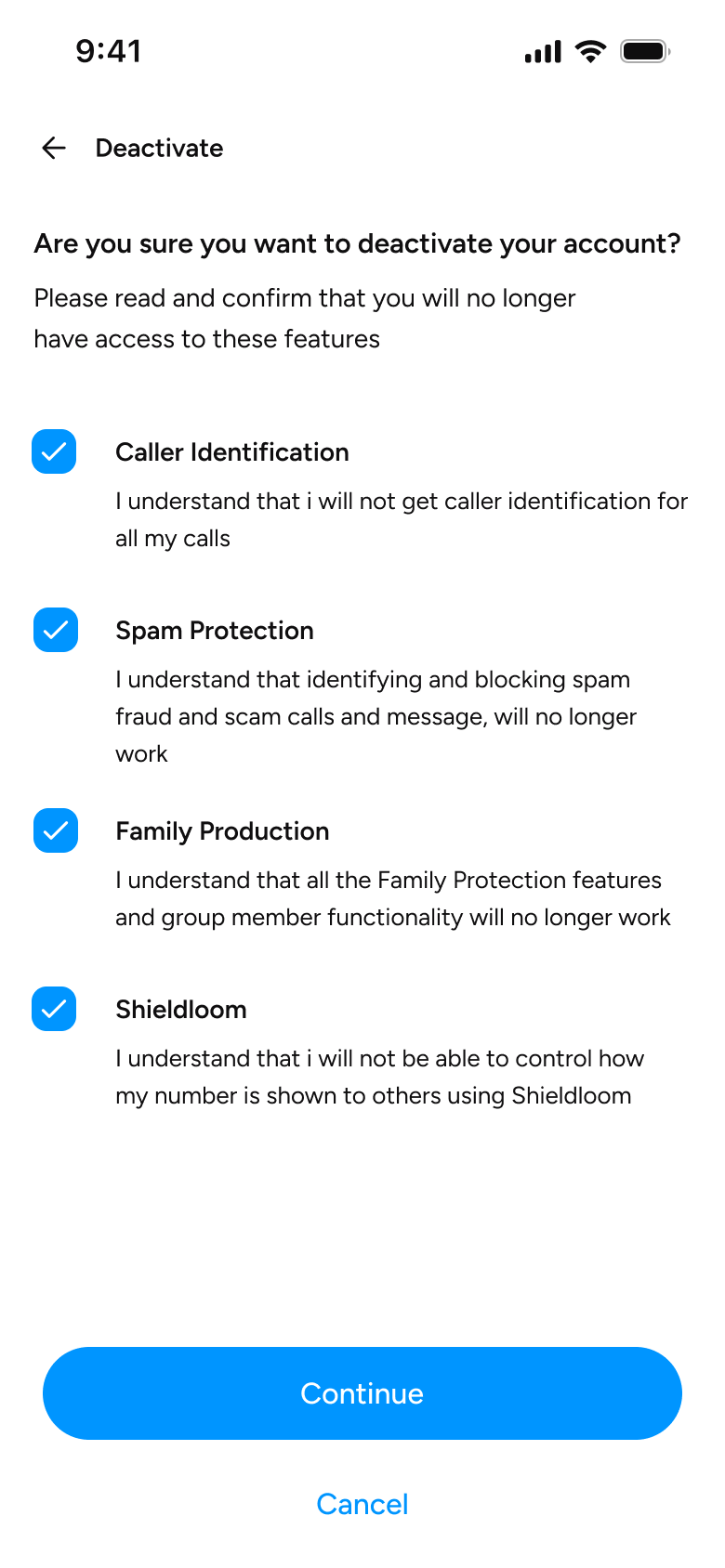
Read the features you will lose, then tick all four boxes
4
With every box ticked, tap Continue
5
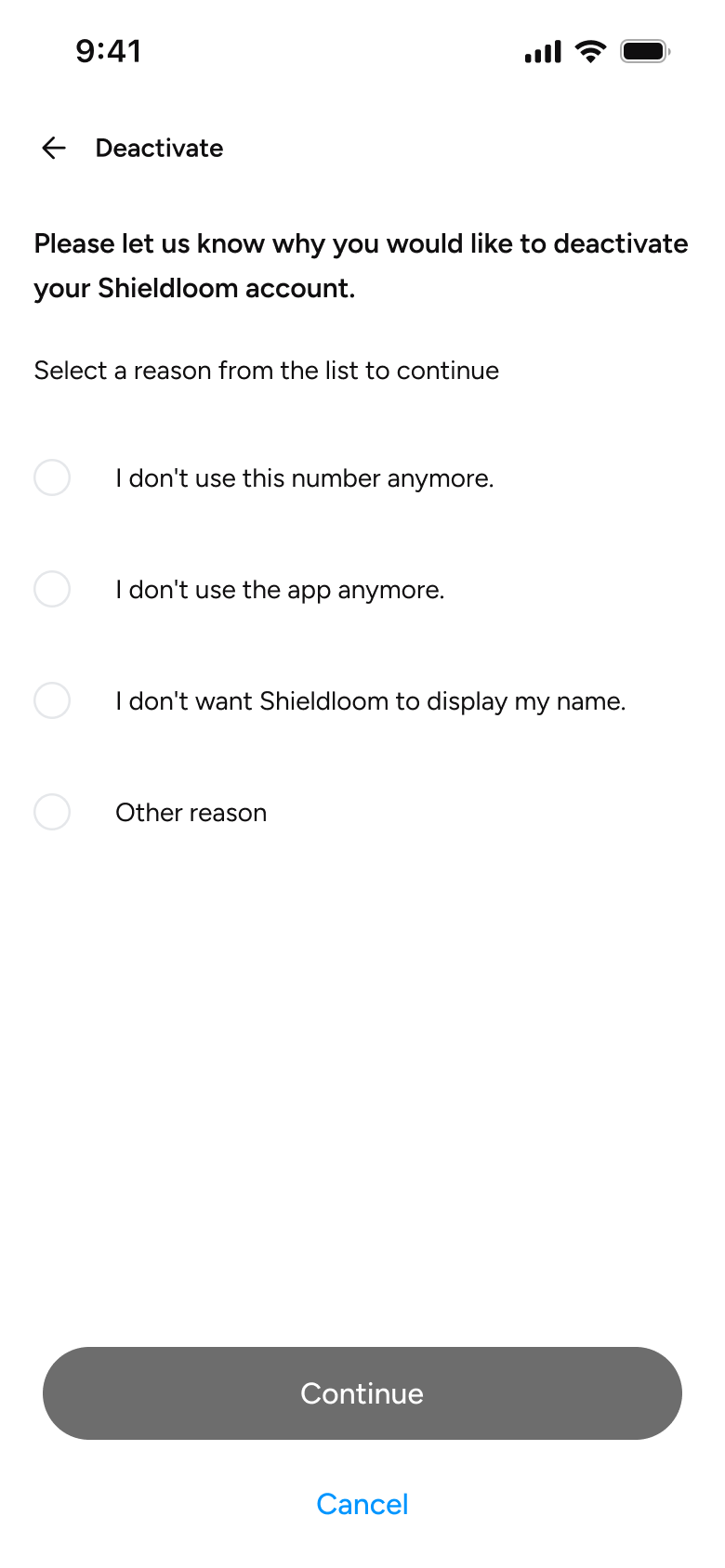
Choose the reason you are leaving
6
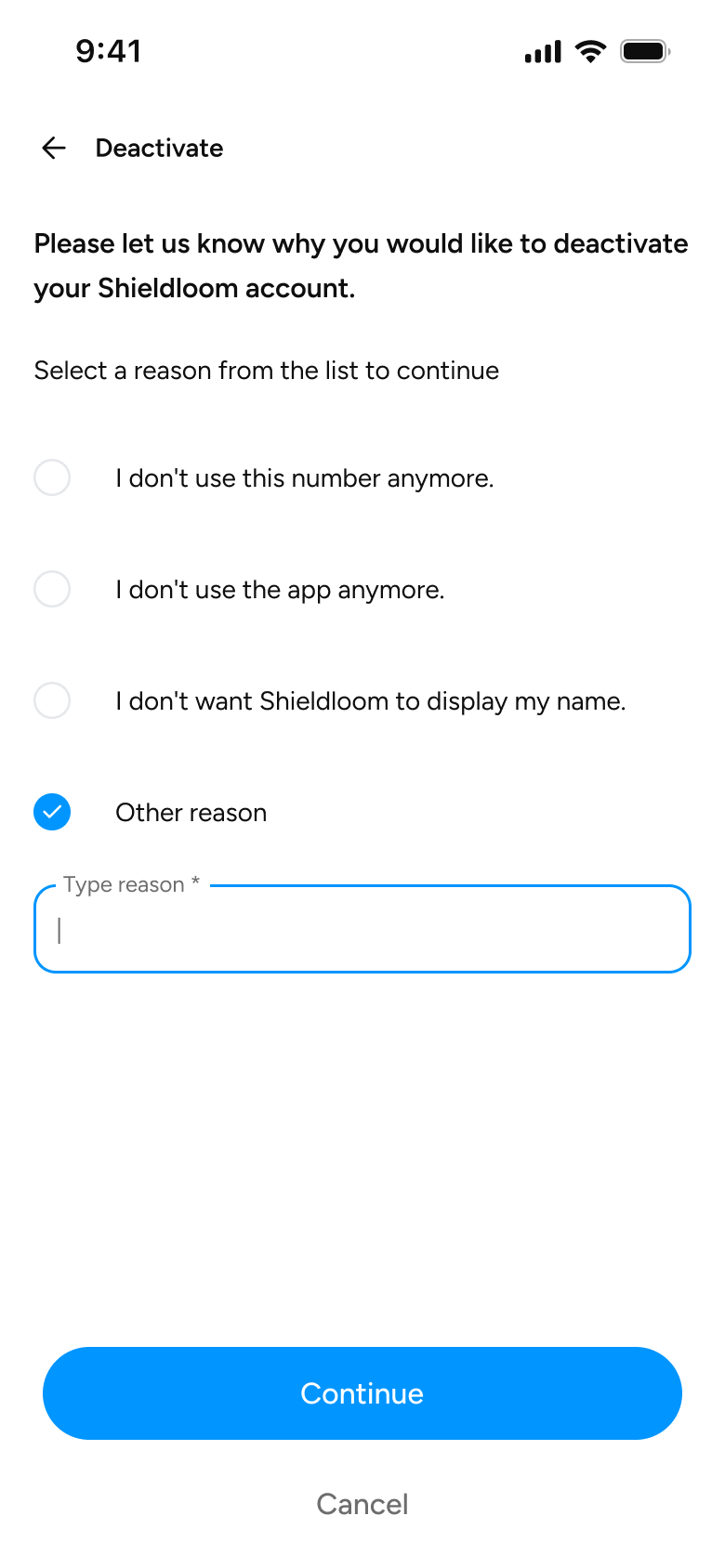
If you choose “Other reason”, type it in, then tap Continue
7
Read the 90-day deletion notice and tap Deactivate to confirm